

What Bnode templates include
Bnode templates contain all the necessary components to launch a fully configured Bnode:- Container image: The Docker image with all necessary software packages and dependencies. This is where the core functionality of the template is stored, i.e., the software package and any files associated with it.
- Built-in utility services: Pre-configured web-based tools for development, monitoring, and ML workflows that run automatically. All templates include JupyterLab, VS Code Server, system monitoring, and file browser. Specialized templates include additional services like TensorBoard, vLLM API, or ComfyUI. See Built-in utility services for details.
- Hardware specifications: Container disk size, volume size, and mount paths that define the storage requirements for your Bnode.
- Network settings: Exposed ports for services like web UIs or APIs. If the image has a server associated with it, you’ll want to ensure that the HTTP and TCP ports are exposed as necessary.
- Environment variables: Pre-configured settings specific to the template that customize the behavior of the containerized application.
- Startup commands: Instructions that run when the Bnode launches, allowing you to customize the initialization process.
Types of templates
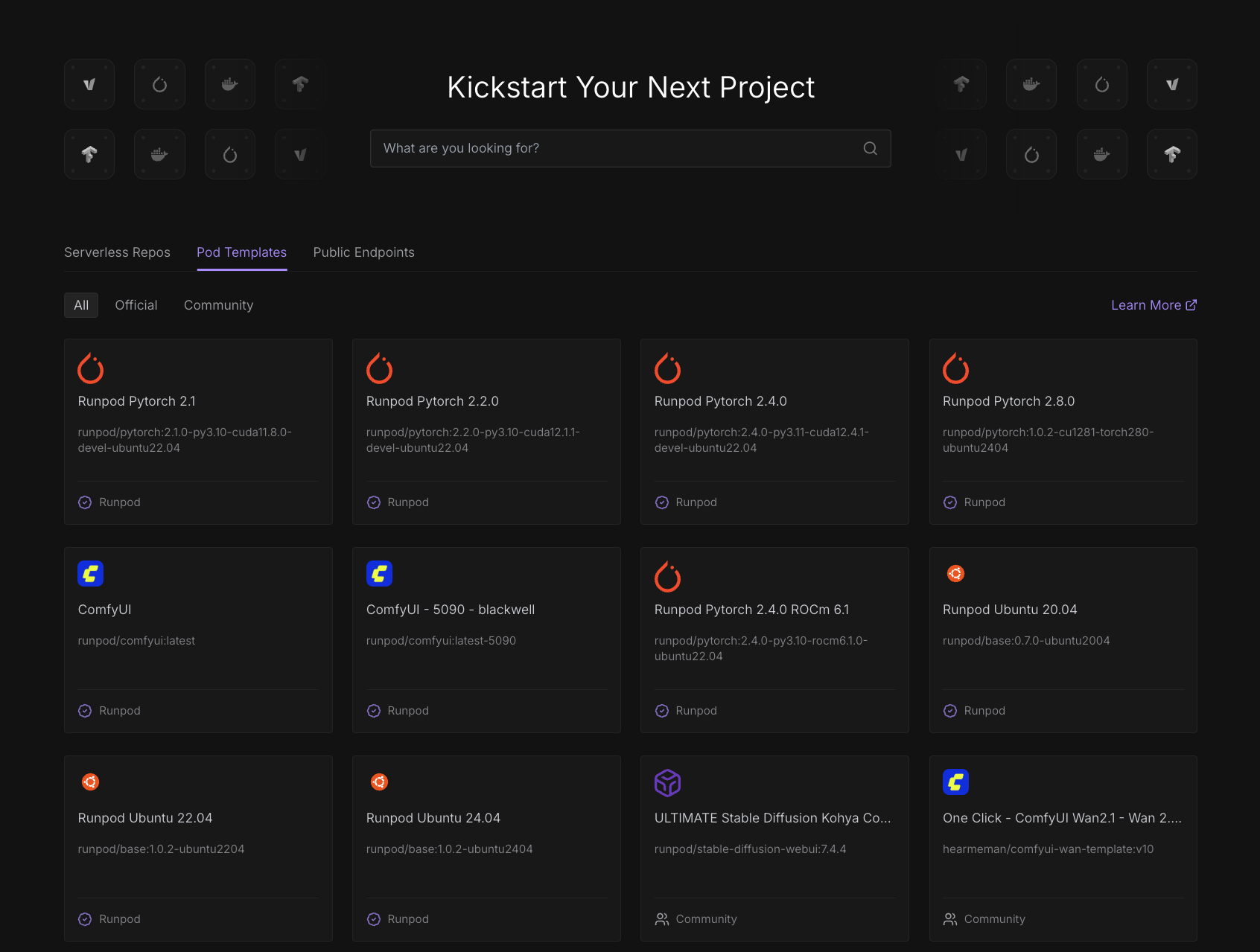
Brightnode offers three types of templates to meet different needs:Official templates
Official templates are curated by Brightnode with proven demand and maintained quality. These templates undergo rigorous testing and are regularly updated to ensure compatibility and performance. Brightnode provides full support for official templates.Community templates
Community templates are created by users and promoted based on community usage. These templates offer a wide variety of specialized configurations and cutting-edge tools contributed by the Brightnode community.Custom templates
You can create custom templates for your own specialized workloads. These can be private (visible only to you or your team) or made public for the community to use.Explore templates
Why use Bnode templates
Templates provide significant advantages over manual Bnode configuration:- Time savings: Popular templates include options for machine learning frameworks like PyTorch, image generation tools like Stable Diffusion, and development environments with Jupyter notebooks pre-installed. This eliminates hours of manual setup and dependency management. Every template also includes built-in utility services like VS Code Server, system monitoring, and file management tools that work out of the box.
- Consistency: Templates ensure that your development and production environments are identical, reducing “it works on my machine” issues.
- Best practices: Official and popular community templates incorporate industry best practices for security, performance, and configuration.
- Reduced errors: Pre-configured templates minimize the risk of configuration mistakes that can lead to Bnode startup failures or performance issues.